
Overview of Book-Level Settings
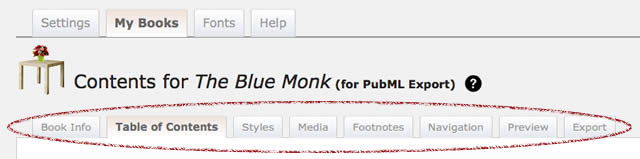
After you create or select a particular book to work on, the <PubML>™ Publishing Sytem displays a row of second-level tabs on every screen. The top tabs refer to the following functions:
- Book Info: Enter or edit your book's metadata—the title, publisher, copyright information, etc. that descrinber your book. This is also where you upload your book cover image.
- Table of Contents: A drag-and-drop to reorder list of your book's sections/chapters. This is also where you create new sections.
- Styles: Customize the appearance of your book. Includes:
- Media: Create, edit, and organize various media sources (maps, photos, videos) into groups that can be easily linked to your book from the section editor.
- Footnotes: Create, edit, and preview Photo Footnotes for your book
- Navigation: Create and customize the navigation tabs that appear above your <PubML>™ book
- Preview: Render a copy of your eBook to preview your progress (works only for active subscribers). Preview appears in an overlay above your currewnt editing screen.
- Export: Preview metadata. Export your eBook in <PubML>™ or ePub format.