PubML Top Navigation Tabs
PubML eBooks include a series of customizable tabs above the eBook.
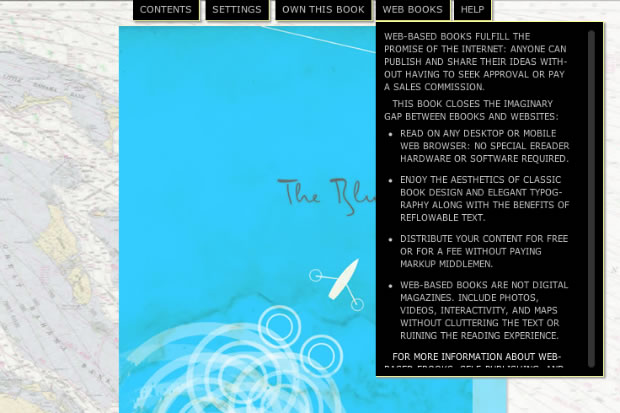
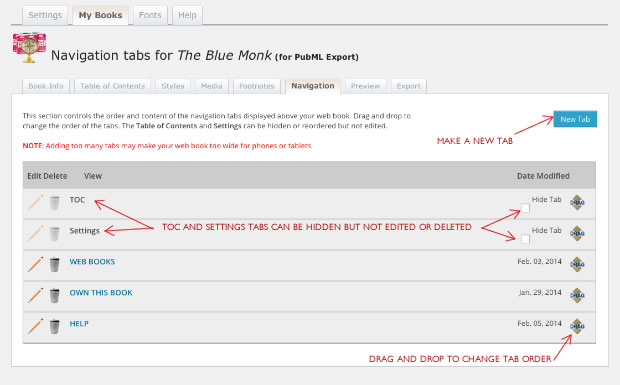
Note: Two of these tabs, the table of contents and the settings tab are generated automatically. They can be hidden if you wish not to display them, but they cannot be edited or deleted from your book’s tab manager. You can add additional tabs that (for example) explain how to use the <PubML>™ book, provide information about the publisher, or the reader a way to purchase the book.
The Tab Manager allows you to create and reorder tabs. Drag and drop tabs to reorder them. Click the pencil icon to edit an existing tab.
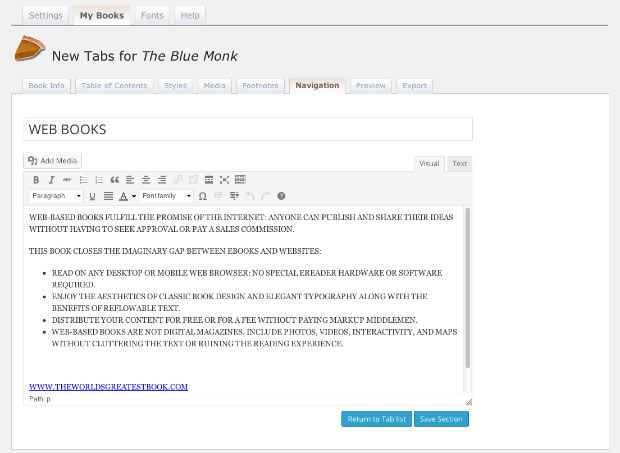
Edit tabs using the standard WordPress editor in either “Visual” mode or “Text” (code) mode.